Stop Copy-Pasting.
Just Click.

Turn your Google Sheets into a job tracker — in one click.

Works on your favorite job boards & ATS platforms

How it Works

Browse jobs on any platform, let TrackBee handle the tracking.
Connect
1

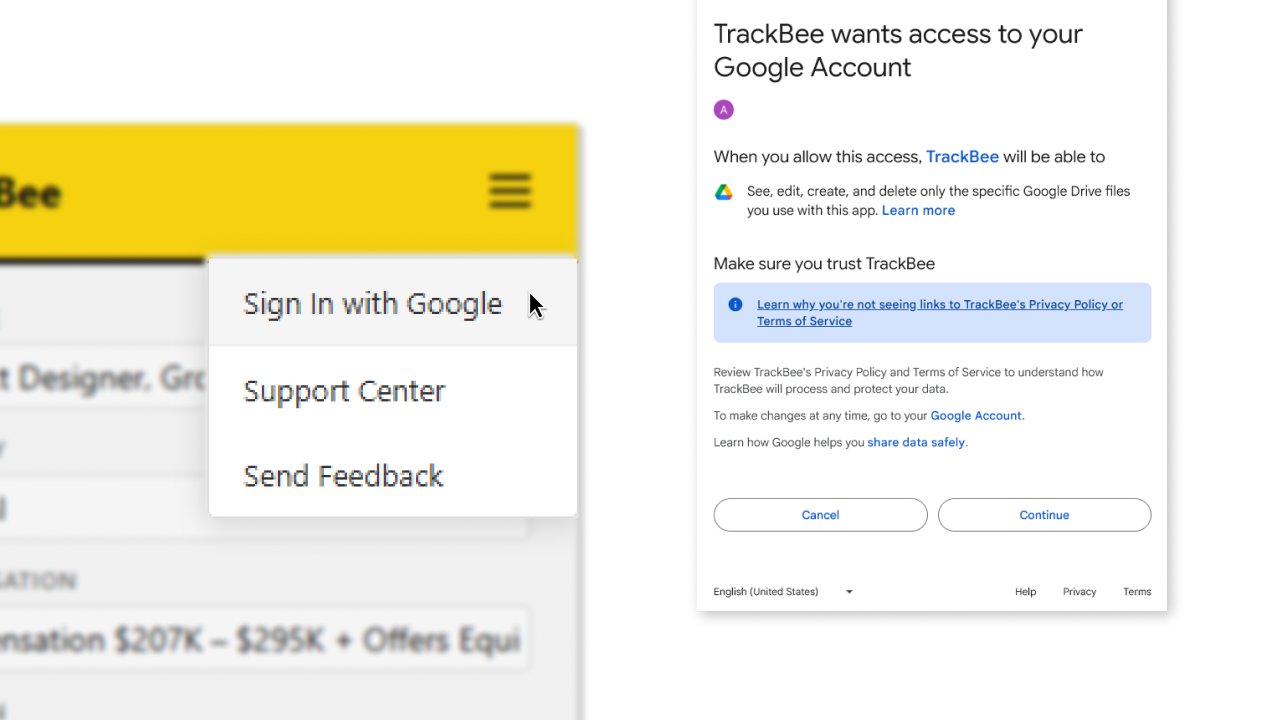
Connect once, track forever.

Sign in with Google to get started. TrackBee only accesses the Tracker it creates, nothing else in your Drive.
Browse
2

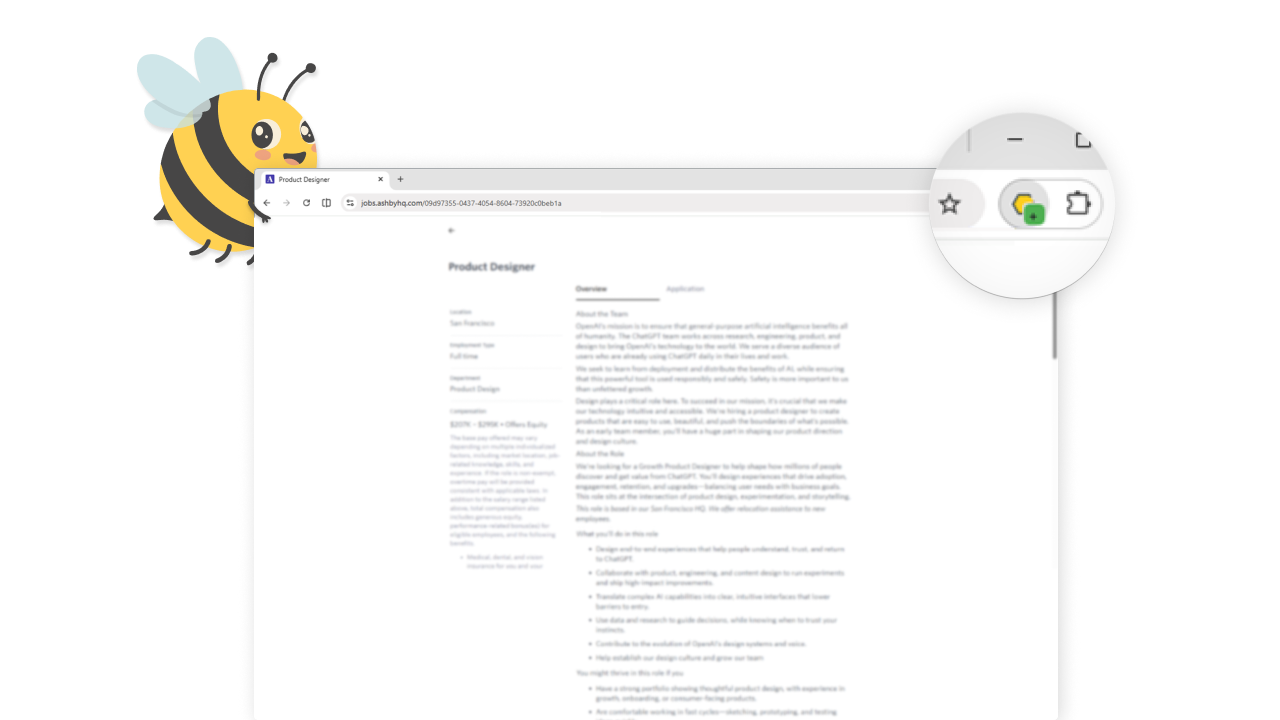
Browse jobs on your favorite platforms.

Spot a job you like? A + badge on the extension icon means TrackBee is ready to capture.
Click
3

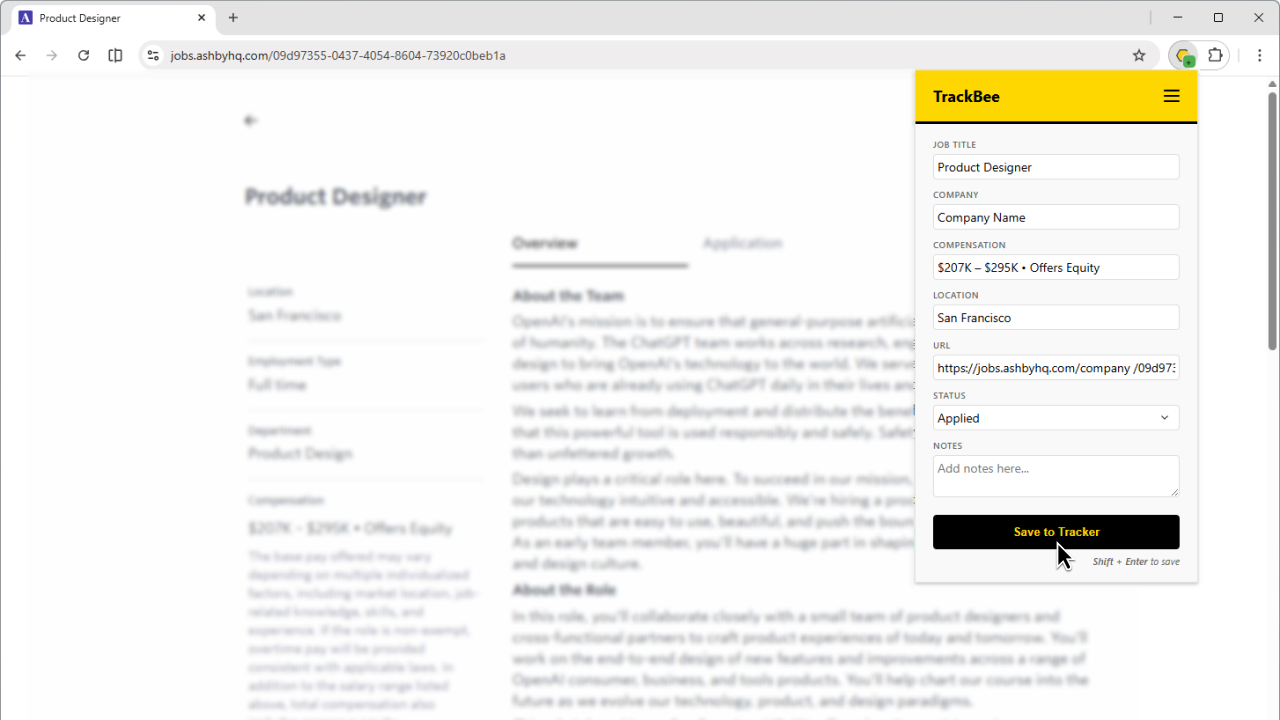
One click, done.

Key job data is captured and saved to your Google Sheet Tracker in a single click.
Track
4

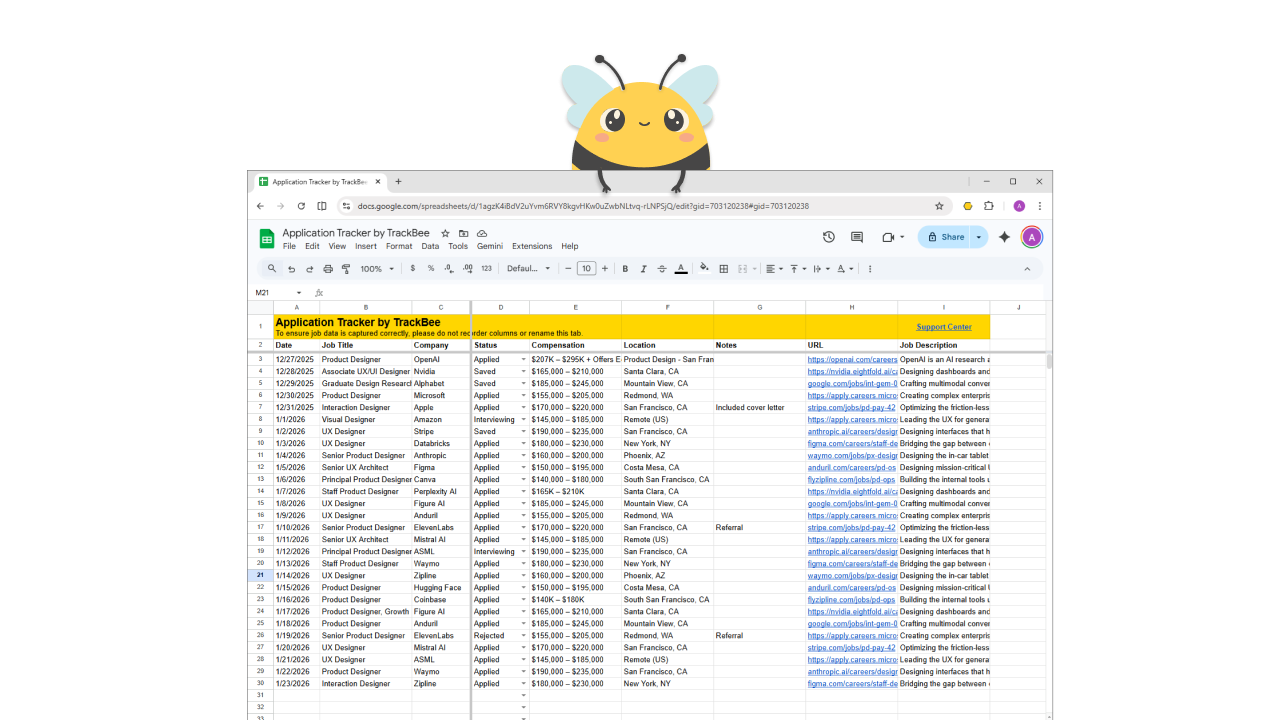
Your job search, organized.

Every saved job becomes a clean row in your Google Sheet Tracker. Organized, searchable, and 100% yours.

Simple by design.

One extension, one click, one place for all your applications.

Sheets-native

The tracker lives in your own Google Sheets, not our servers. No subscriptions, no lock-in.

Capture and Save

Capture job data instantly with a single click or keyboard shortcut.

Multi-platform Ready

Supports LinkedIn, Indeed and major ATS platforms like Ashby, Greenhouse and Workday.

Privacy First

Zero-Fluff. Maximum Trust.

Your data never touches our servers. Here's exactly how it works.

  • We never collect or store your data.
  • We never sell your data or share it with third parties.
  • We only access the Google Sheets Tracker we create for you, nothing else in your Drive.
  • Your data flows directly from your browser to your Google Sheets Tracker.
  • We never scrape your browsing history.
  • No account required. We don't know your name, email, or identity.

Free, private, and in a Sheet you own.

Use TrackBee to power your job search workflow

Add to Chrome - It's Free